How to Vibe Code for Free – Part 3: Stack Free Tiers with Lovable, Bolt & GitHub
How to stretch your free AI credits by combining Lovable, Bolt & GitHub like a dev ninja

Ever feel like your free AI credits disappear faster than your coffee on a Monday morning?
That was me during my first weekend vibe coding… I upgraded to a paid tier before I’d even finished the homepage. Oops.
But then I had an idea: 💡What if I used multiple AI builders… on the same app? And connected them through GitHub?

Spoiler: it works. And yes, GitHub is free too.
Here’s how I project manage multiple AI devs
🛠 Step 1: Start with Lovable
Lovable is fantastic for design inspiration, fast UI generation, and good vibes overall. Start building your app there while you still have your daily free prompts. Read about the most up-to-date free tier limitations on lovable.dev.
Why Lovable? Because Lovable’s GitHub integration is a little limited. You can only create a new repository and cannot connect to an existing one. So always begin your project here and set up the GitHub link from the start.
If you already have a PRD document, that I talked about here:
And you settled on the UI design with Claude, like I explained here:
Then you can upload the files to Lovable and prompt it to create the app based on the PRD and using the HTML doc for design.


🪄 Step 2: Link It to GitHub
When you publish your Lovable app, connect it to GitHub. That way, your code gets stored outside the vibe coding tool, and you have a “safe copy” to return to later.
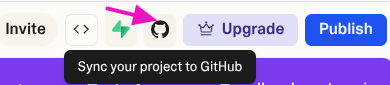
Not sure what GitHub is? Think of it like Google Drive, but for your code. It tracks every change, stores versions, and makes sharing easier.
🧩 Step 3: Move to Bolt
Once you’ve hit your Lovable prompt limit, or you need stronger backend support → switch over to Bolt.new. Read about the most up-to-date free tier limitations on bolt.new.
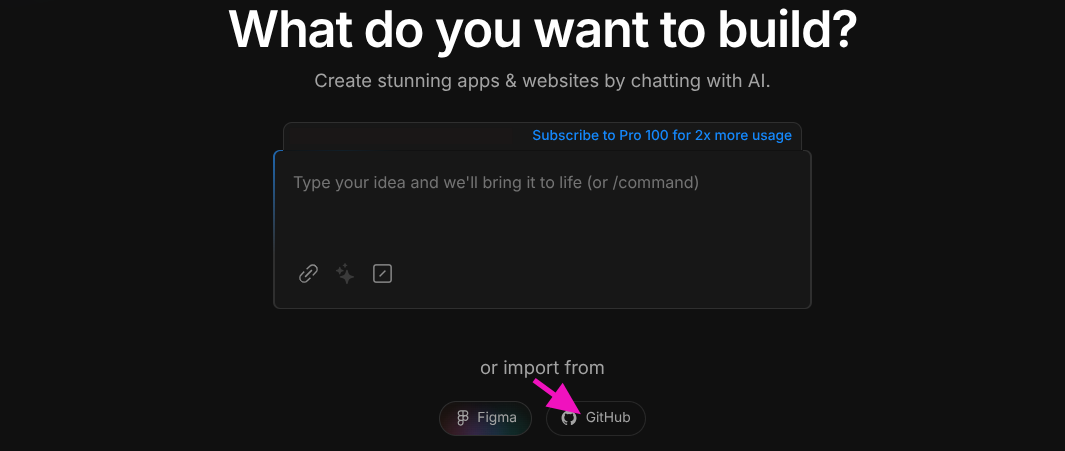
In Bolt, import the same GitHub repo you created with Lovable and pick up where you left off. You get new free credits and can continue developing the same app with more functionality.
Note: If you run out of free credits again, do not fret! Your free AI credits reset each month like clockwork. 😉
Bonus: Why GitHub Is Your Secret Weapon
Even if you’re not technical, GitHub gives you:
✅ Version control (undo mistakes like a pro)
🔒 Automatic backup (no more “I lost my app” panic)
🤝 Easy collaboration (great if you bring in help later)
✨ Flexibility to switch tools without losing progress
Don’t be afraid to try it. Once you’ve done it once, you’ll wonder how you ever built without it.
Closing Thoughts
Once I figured this out, I stopped stressing about free limits, or accidentally breaking everything I’d built. Now, instead of choosing just one tool, I work across multiple and let GitHub keep the peace. It’s like having a small dev team in your corner.
Next up? I’m adding Cursor to the crew, to level up my tech skills and see what we can build together.
But that’s a story for the next article. 😏
→ If you liked this post, share it with your favourite DIY coder or productivity nerd!